Themepack - App Icons, Widgets
YoloTechPersonalization
4.647.46K Reviews
- Version
- 1.0.0.4389
- Installs
- 100.00M
- Age Rating
- Teen
Screenshots
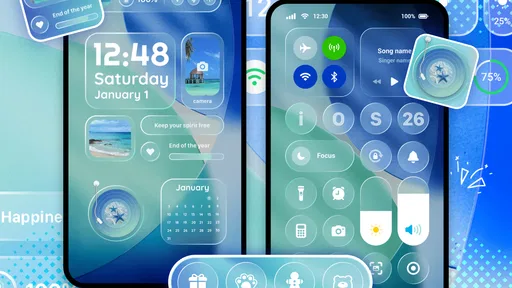
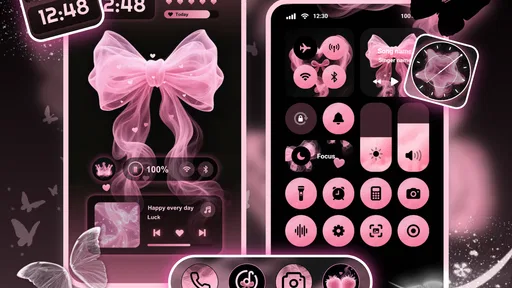
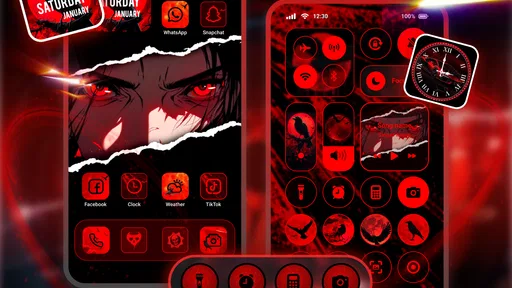
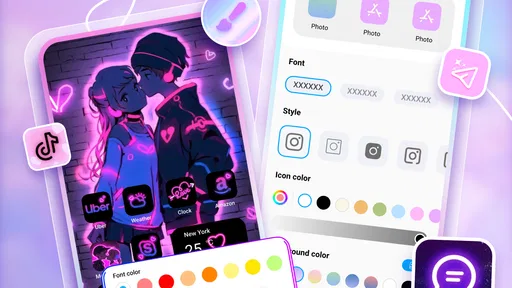
Our Review of Themepack - App Icons, Widgets
 Analysis by Appyee
I usually notice a phone’s home screen most when I’m trying to find something quickly: a familiar app buried among icons, a widget that takes up space without helping, or a layout that no longer feels like mine. Themepack - App Icons, Widgets is for people who want to change that visual experience rather than replace their phone’s everyday tools. It is a free personalization app from YoloTech, and I’d consider it when I wanted a more coordinated look without building every element from scratch.
Personalization apps invite a small but reasonable trust question: what am I changing, and what choices do I actually control? I can assess the appeal of a themed screen and the effort involved in setting one up, but I would not treat an attractive design as proof of anything about privacy or permissions. My practical advice is to read any permission request in context and decide whether it makes sense for the action you are taking. If a prompt feels unrelated to choosing or arranging a theme, pause before accepting it.
Making a home screen feel intentional
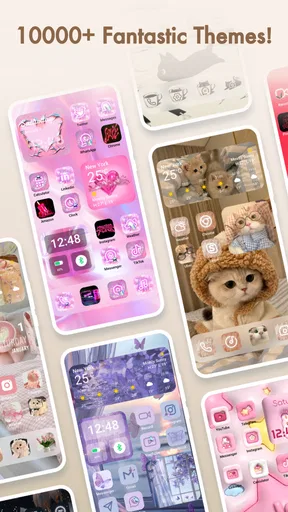
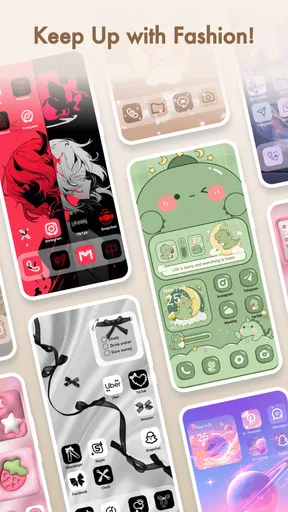
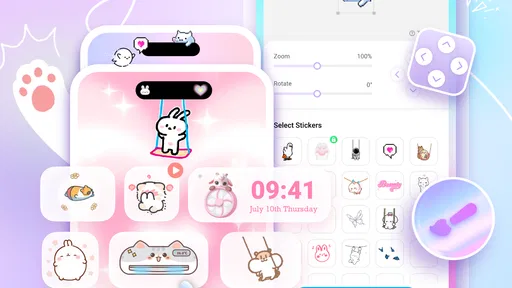
The first thing you notice about Themepack - App Icons, Widgets is the variety it offers. You can choose from themes with different aesthetics, whether you prefer minimalism, vivid colors, or a more playful style. I personally went for a sleek, dark look, and it made my phone feel noticeably different without changing the way I use it. The useful distinction is that this is primarily about presentation: the goal is to make the screen feel more considered, not to give you a new set of phone functions.
The app sits in the broader world of phone personalization, where the usual alternatives are sticking with the system’s built-in wallpaper and widgets, changing icons one by one, or using a launcher or other customization tools. Those routes can be better if you want very fine control over layout or behavior. Themepack makes more sense when you want a coordinated visual direction and would rather browse possibilities than assemble every detail yourself. That convenience is also a trade-off: a ready-made style may not match your taste perfectly, so it helps to think of themes as starting points rather than a guarantee that every screen will look exactly as imagined.
Widgets that earn their space
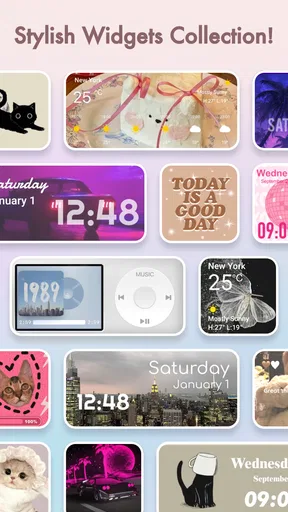
The selection of widgets is a central part of the appeal. Weather and calendar-style panels can make a home screen feel more useful as well as more polished, and visual customization gives you a way to make those elements sit comfortably alongside the rest of the design. I would choose widgets based on what I actually check during the day, not just on which ones look attractive in a preview. A screen with one useful glanceable panel can be easier to live with than a crowded arrangement chosen only for decoration.
A practical setup tip is to decide on your main screen’s job before adding anything: quick access to work apps, a snapshot of the day, or a calmer place to start when you unlock your phone. Then choose a theme and widget arrangement that support that purpose. This avoids a common personalization trap—making a screen beautiful but less convenient. It also gives you a clear way to judge whether a layout is working after you have used it for a while: can you still reach the apps you need without hunting?
Setup, choices, and everyday friction
I found the setup approachable rather than intimidating. The interface is easy to follow, and the app walks you through applying a look, which is helpful if you have never spent much time adjusting your home screen. Even so, customization is a sequence of choices, and a guided process does not remove the need to check how each change fits your own phone and habits. I would make one change at a time, then look at the home screen before continuing. That makes it easier to spot which part of a theme you like and which part you would rather leave behind.
For example, imagine getting ready in the morning and wanting the day’s calendar and weather visible without opening separate apps. A coordinated widget can make that glance feel tidy, while a consistent icon style can make the screen less visually noisy. If the widget is too large or pushes a frequently used app out of reach, though, the decorative gain may not be worth the extra taps. I’d treat the first arrangement as a trial: keep what improves your routine and remove anything that makes a simple task slower.
There is another small but useful trade-off when changing a phone’s appearance: familiarity. A new icon style can make a screen feel fresh, but if the icons are less recognizable to you, it may take longer to find apps at first. Before committing to a full visual change, consider whether you rely on icon shapes and positions from muscle memory. If you do, start with a limited adjustment rather than changing everything at once. That approach is especially sensible on a phone you use for time-sensitive tasks.
What to check before settling on a look
Some questions are best answered while setting up the app, because the right choice depends on your device and preferences. If you are wondering whether you can use it without spending money, it is free to install, though it also offers in-app purchases priced from $0.99 to $39.99 per item. I would explore the available choices first and make a purchase only if a particular option is worth it to me; the presence of paid items does not mean everyone needs to buy something to try a personalization app.
Compatibility is another sensible thing to check before investing time in a design. The current version is 1.0.0.3663, and the listed Android minimum is 7.0. The app’s audience rating is Teen. Those details help with basic eligibility, but the most useful test is still whether the options work the way you expect on your own device. I would check the preview and follow the on-screen setup steps carefully rather than assuming that a theme will translate identically across different phones or operating systems.
If your priority is a clean, coordinated appearance, this app is a stronger fit than a purely manual approach. If you want deep control over how the phone behaves, or you are already happy adjusting every icon and widget yourself, a more hands-on system tool may suit you better. And if visual changes are not worth the time it takes to review and arrange them, the default home screen is a perfectly reasonable choice. I see Themepack as an option for people who enjoy changing their phone’s look, not a must-have utility for everyone.
Popularity is context, not a privacy promise
The app has a 4.7 average from around 1.2 million ratings, with about 43,000 written reviews, and it has passed 50 million installs. That scale suggests many people have tried it, but popularity alone cannot tell me whether a particular permission request is appropriate or whether a design will suit my habits. I would use those figures as context for its reach, not as a substitute for checking choices on my own device. YoloTech is the developer, and I’d still make decisions about access and purchases based on the prompts and options presented while using the app.
The data-sensitive moments in a personalization app are easy to overlook because the main activity feels cosmetic. I would pay attention when an install flow, feature, or purchase presents a request or choice, and take a moment to understand what I am agreeing to. If the app offers a way to decline an optional step while continuing with the task I want, I would use that route. If I am unsure, I would stop and review the choice rather than tapping through just to reach a theme faster. That is a practical habit, not a claim about what information the app collects.
My own rule is to separate the visual decision from the access decision. I can like a theme without automatically accepting every prompt, and I can reconsider a layout later if it proves distracting. Before settling on a design, I’d also take note of what I changed, so returning to a simpler screen is less of a guessing game. This kind of deliberate setup matters most if you share your phone, depend on a familiar home screen, or prefer to keep customizations minimal.
Who will enjoy it—and who may prefer another route
I think this is best for someone who changes wallpapers often, enjoys coordinating colors and icons, or wants a more personal home screen without starting from a blank canvas. It can also suit a user who wants a visual refresh before a new term, a change in routine, or simply a different mood. The app’s Teen content rating gives families a basic indication of its intended age suitability, while adults who share devices may still want to make their own choices about purchases and setup.
I would skip it if I were content with my current layout, wanted no additional customization steps, or needed advanced control beyond choosing and arranging visual elements. It may also be the wrong fit if a new icon treatment makes familiar apps harder for you to recognize, or if you prefer using only the options already built into your phone. In those cases, a wallpaper change or a small manual adjustment can deliver a refresh with less effort.
My overall view is positive but measured. The app makes a phone’s appearance feel more personal, and its guided approach lowers the barrier to trying a new arrangement. Its best use is not to decorate every available inch; it is to make a few deliberate choices that improve the screen you look at all day. I would start with one theme, add only the widgets I genuinely use, and keep an eye on any permission or purchase prompts rather than treating them as part of the visual experience.
Ever found your phone's default look a bit blah? This app is like a makeover for your phone, turning your home screen into a work of art. I’ve been playing around with it, and honestly, it’s a game-changer.
Widgets Galore
Let’s talk widgets. This app offers a fantastic selection. From weather updates to calendar widgets, it has you covered. What’s neat is how customizable they are. You can adjust the size, color, and even the font to match your chosen theme. It’s like having a personal designer in your pocket.
Easy to Use
If you’re worried about complexity, fear not. The interface is intuitive and user-friendly. I’m not a tech whiz, but setting up my theme was a breeze. The app guides you through each step, ensuring your phone looks just how you want it. Plus, if you’re ever stuck, there are helpful tips and FAQs right within the app.
Performance and Compatibility
Now, you might be wondering about performance. I didn’t notice any lag or hiccups while using the app. It runs smoothly, which is crucial because the last thing you want is a slow phone. It’s also compatible with both Android and iOS, so no one’s left out of the fun.
In summary, it’s a fantastic tool for anyone looking to give their phone a fresh look. It’s easy to use, packed with options, and runs like a charm. It’s like having a little slice of personalization heaven right on your home screen. So, if you’re ready to ditch the bland, give it a try. You won’t regret it.
Privacy and Permissions
See what permissions an app requests and how it handles your data.
- Location
- approximate location (network-based), precise location (GPS and network-based)
- Photos/Media/Files
- read the contents of your USB storage, modify or delete the contents of your USB storage
- Storage
- read the contents of your USB storage, modify or delete the contents of your USB storage
- Camera
- take pictures and videos
- Wi-Fi connection information
- view Wi-Fi connections
- Other
- view network connections, pair with Bluetooth devices, access Bluetooth settings, full network access, run at startup, set wallpaper, draw over other apps, control vibration, prevent device from sleeping, modify system settings, install shortcuts, uninstall shortcuts, Google Play license check, read Google service configuration
Verdict
Strengths of Themepack - App Icons, Widgets
- Extensive icon library for customization.
- User-friendly interface for easy navigation.
- Regular updates with new themes.
- Minimal impact on device performance.
- Seamless integration with existing apps.
Limitations of Themepack - App Icons, Widgets
- Some features require in-app purchases.
- Limited widget customization options.
- Occasional bugs in theme application.
- High-quality themes can be resource-heavy.
- Not all icons support every app.
Similar Picks in This Category
View All
Microsoft SwiftKey AI Keyboard
SwiftKey4.3

Wallpapers
Google LLC4.1

Zedge™ Wallpapers & Ringtones
Zedge4.7

Yandex Browser with Alice AI
Direct Cursus Computer Systems Trading LLC4.3

Ringtone Maker:create ringtone
Big Bang Inc.4.7

Fonts Keyboard
Fonts Keyboard3.9
Frequently Asked Questions
What is Themepack and what does it offer?
Themepack is an app designed to personalize your device by offering a vast collection of app icons, widgets, and themes. It allows users to customize their phone’s appearance, giving it a unique and personalized look. The app frequently updates its collection to include trendy and seasonal themes, ensuring users have fresh options to choose from.
Is Themepack compatible with both Android and iOS devices?
Yes, Themepack is compatible with both Android and iOS platforms. However, functionality may vary slightly between operating systems due to inherent differences. It’s recommended to check the app store description for any specific device requirements or compatibility issues before downloading.
Does Themepack require any special permissions to function?
Yes, Themepack may require certain permissions such as access to storage to save downloaded themes and customizations. It might also request permission to access your device’s settings to apply custom icons and widgets. It’s important to review the permissions requested to ensure you’re comfortable with the app’s access level.
Are there any in-app purchases or subscription fees in Themepack?
Themepack offers a range of free themes and customizations, but it also includes premium content available through in-app purchases or a subscription model. Premium features may offer exclusive themes and an ad-free experience. Users can decide whether to use the free version or invest in the premium options for enhanced customization.
How frequently is new content added to Themepack?
Themepack regularly updates its content library to include new themes, icons, and widgets, often aligning with current trends and seasonal events. Updates can occur weekly or monthly, and users are notified within the app. This ensures that users can continually refresh their device’s look with new and exciting designs.
